
Make your scroll pay you back.
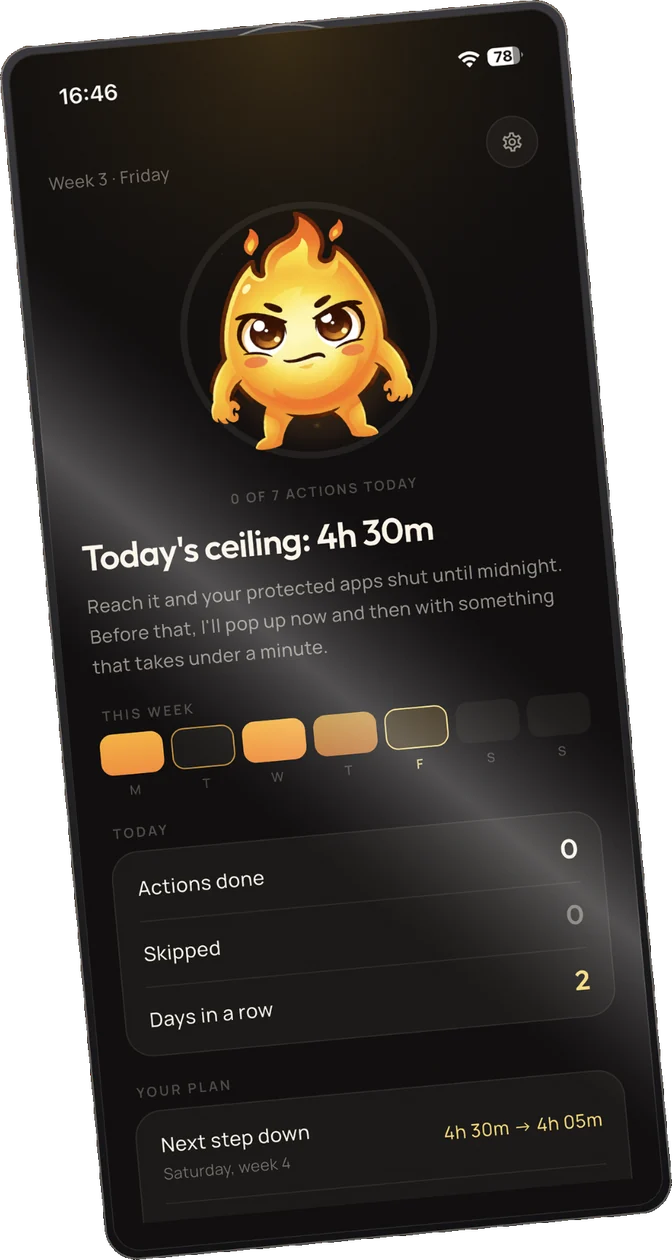
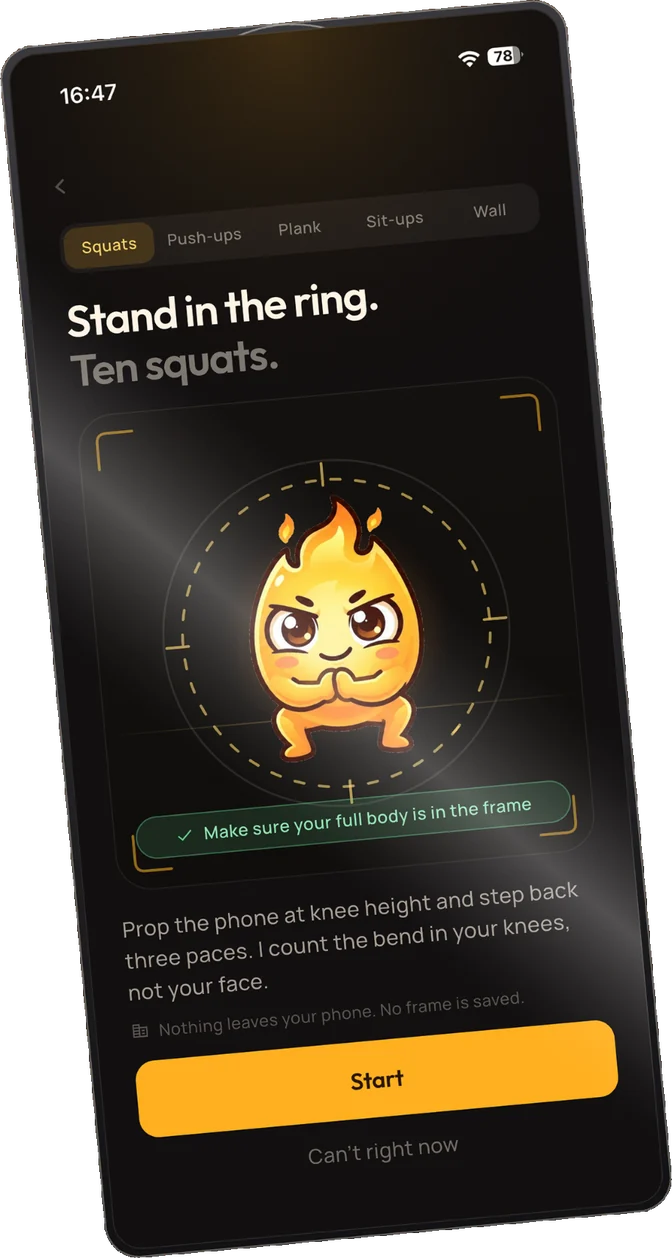
When you reach a checkpoint, Spark Break turns the moment into a rep — ten squats, three long exhales, one honest answer about what you're actually here for. Do that enough times and you're not just scrolling less. You're stronger. Calmer. Disciplined in a way that's actually built, not white-knuckled.
Not features. Three specific ways the interruption changes you.
 Move
Move
Stronger
Ten reps — squats, push-ups or sit-ups, your pick — a handful of times a day adds up to real movement you wouldn't have gotten otherwise. Not a workout, just less sitting than the scroll would have cost you. The camera counts the reps on the phone itself; no frame is saved and nothing is sent anywhere.
 Breathe
Calmer
Three long exhales, right at the moment you're most wound up — before the anxious scroll spiral finishes its sentence. Not meditation. Just enough of a pause that the feeling passes instead of feeding itself.
 Focus
Focus
More deliberate
One tap, one honest answer: what are you actually here for — messaging someone, posting something, or just scrolling? Name it often enough and the answer starts to change on its own. That's not willpower. That's repetition doing the job willpower usually fails at.
How the taper actually works
Week one just measures. A real baseline from your real days, no guessing.
Every week after, your target drops 10% — never below the number you picked: 90, 60 or 45 minutes.
All the while the app steps in a set number of times a day — five, seven or nine, your choice — spaced across the time you have left. Three skips a day for when you truly can't.
No red zeros.
Break a streak and the app says "Day 1 again. Your best was 14." That's it. No failure screens, no red numbers, no notification chasing you down about what you lost.
What happens on your phone stays on your phone.
Screen Time data, camera checks — all of it processed on your device, never uploaded. No account, no sign-up, nothing to look you up by.
Read the privacy policy →
Three days free. Then pick a plan.
Three days is one weekday, one evening and one weekend morning — enough to tell whether a slower feed actually works on you before anything is charged.